Posts

Showing posts with the label Kindle Fire

In an App-y Place - Lynne Garner

Image
Just before Christmas I realised I had some store vouchers that needed to be spent. So I went online looking for something sensible to spend said vouchers on. To my surprise I discovered I could purchase a Kindle Fire for the grand total of £9.00 (once the vouchers had been redeemed). So I pushed the boat out, put sensible aside and treated myself. My excuse for being so frivolous was not to have a new toy to play Candy Crush on or to be able to read in the dark. My excuse was I wanted something that might help me find more time to write (it’s amazing how much wasted time you can claw back if you plan). You see 2015 wasn’t very productive (for a number of reasons) so I wanted to take a positive step towards making 2016 very productive. I’ll admit a lot of game play has taken place but my new ‘toy’ has also inspired new ideas. These include a craft title (hence new low tech crocheted covers for my new  Kindle), a series of magazine features and a few short stories (which I ...

What You Really, Really Want by Ruby Barnes

Image
So, tell me what you want, what you really, really want. As a reader of electric books and the like, what do you really, really want? Why am I asking? Because me and my little publishing house, we give things away. Why would Marble City Publishing do that? To maximise readership for our authors and to reward readers for staying with us. This is nothing new, of course. Mail lists have been a mainstay of marketing ever since Baldrick started pushing Mrs Miggins' pies through letterboxes (ref. Blackadder for non-cognoscenti). Staying in touch with people is essential for a new book release. The virtual cafés of the writing world are abuzz with methods to successfully build a mail list. Independent authors with prodigious output are presenting subscribers with such offerings as starter libraries of free novels. Phrases such as Reader Magnets abound. Online courses are being sold for hundreds of bucks to share the secret sauce of building an author's list. In this mod...

Authors Electric How To Day – DropBox – How to load books and documents on your Kindle fire using DropBox – Chris Longmuir

Image
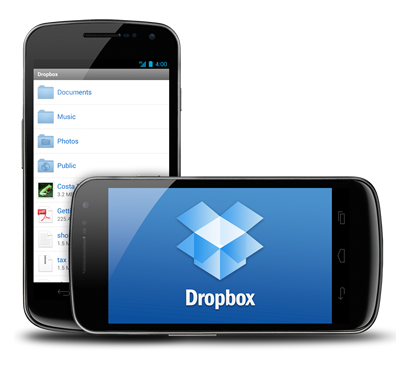
DropBox for Android Devices Normally to sideload a book or document to your Kindle Fire it would be done by connecting the Fire to your computer and copying the appropriate file into your Kindle Fire. I am going to show you an easier way to do it using DropBox. It's easy to install DropBox Installing DropBox First you have to install DropBox onto your Kindle Fire, and this is quite easy to do. 1. From the Kindle Fire’s main screen place your finger at the top of the screen and swipe downwards. This will reveal your settings. 2. Tap “More” and from the list of settings tap “Device”. 3. Where it says “Allow Installation of Applications” toggle it to “On” – the default is “Off”. When it is “On” it allows you to download Apps other than Amazon ones. 4. After you have done this go back to the “Home” page and click on “Web”. This will open your browser. 5. In the search box type http://www.dropbox.com/android . This will open the download page for “Dropbox ...

Death of a Kindle - Kathleen Jones

Image
I was recently in Cambodia - which proved more of an endurance test than I'd expected.  What with being ill, my email and Facebook account hacked and having my cash-point card stopped by the fraud unit I didn't get the chance to enjoy it as much as I would have liked.  And when my Kindle froze and died it was the last straw!   Perhaps it just didn't like the heat, or had been through too many airport security scanners.  These days they scan your baggage at every transit point - once as you get off the plane and then again before you board.  Milan to New Zealand via Dubai, Bangkok and Sydney, then NZ to Cambodia via Sydney and Bangkok,  racks up a lot of scanning.  I try to remember to turn it completely off, as advised, but there's always the one time you forget. It was the classic screen of death - Agatha Christie (a nice touch I thought) with two lines through the middle and an odd fluffy whiteness at the bottom corner.  I tried re-s...

Did Santa put a Kindle in your Stocking?

Image
Well, did he? This is my second Kindle Christmas. In 2011 I got so fed up waiting for Santa to bring me one that I gave myself a Christmas present, a lovely brand new Kindle which I quickly clothed in a swish red leather jacket. I was in book heaven, and my fingers just itched to load it up with books. Then this Christmas, the 2012 one that’s now just a memory, I decided I’d been such a good girl I deserved another reward, so I bought myself a brand new Kindle Fire. Now I get to see all the books in my library in their full colour covers. Not sure if it makes the reading experience any better, but it does make my Kindle library look awsome. So, I imagine that if Santa was good to you and brought you a Kindle, whether it was a keyboard one, or a Touch, or a Paper White, or the newest of the new, the Kindle Fire, you’ll be looking forward to filling it with books. Well, you’re in luck because Amazon has loads of reasonably priced and free books in their Kindle store, some of the...